


What’s new in v26.9.0

Every coding agent session on your machine, in one place.

See which sessions are running, which need your input and what each one did — across every agent you use. When one gets stuck, hand the session to another. Your sessions never leave your machine.

Download for Mac Apple Silicon
Download options
MacApple Silicon MacIntel

macOS · Apple Silicon & Intel · Runs locally · No account

Works with Claude CodeCodexCursorCopilotOpenCodePiHermes

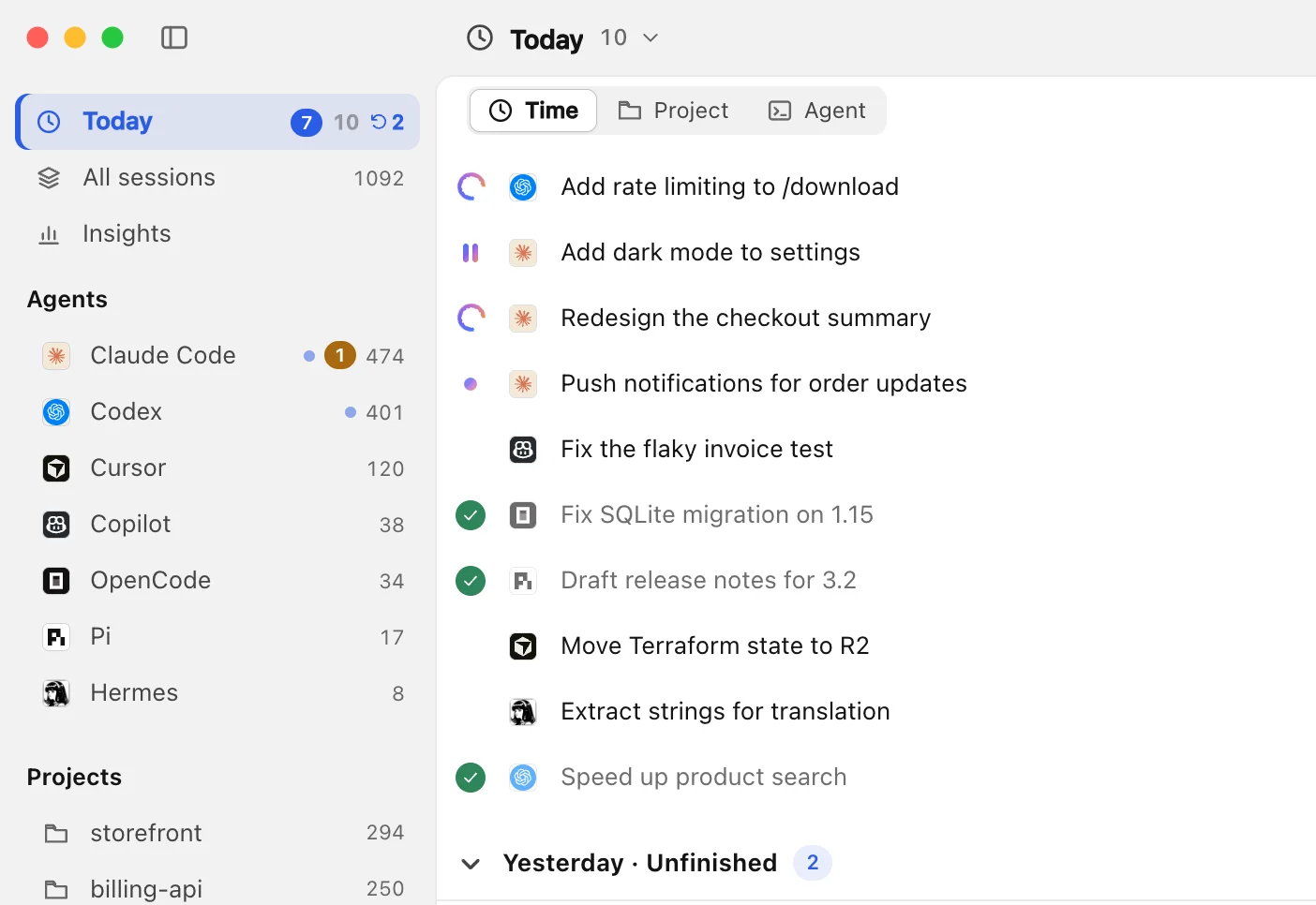
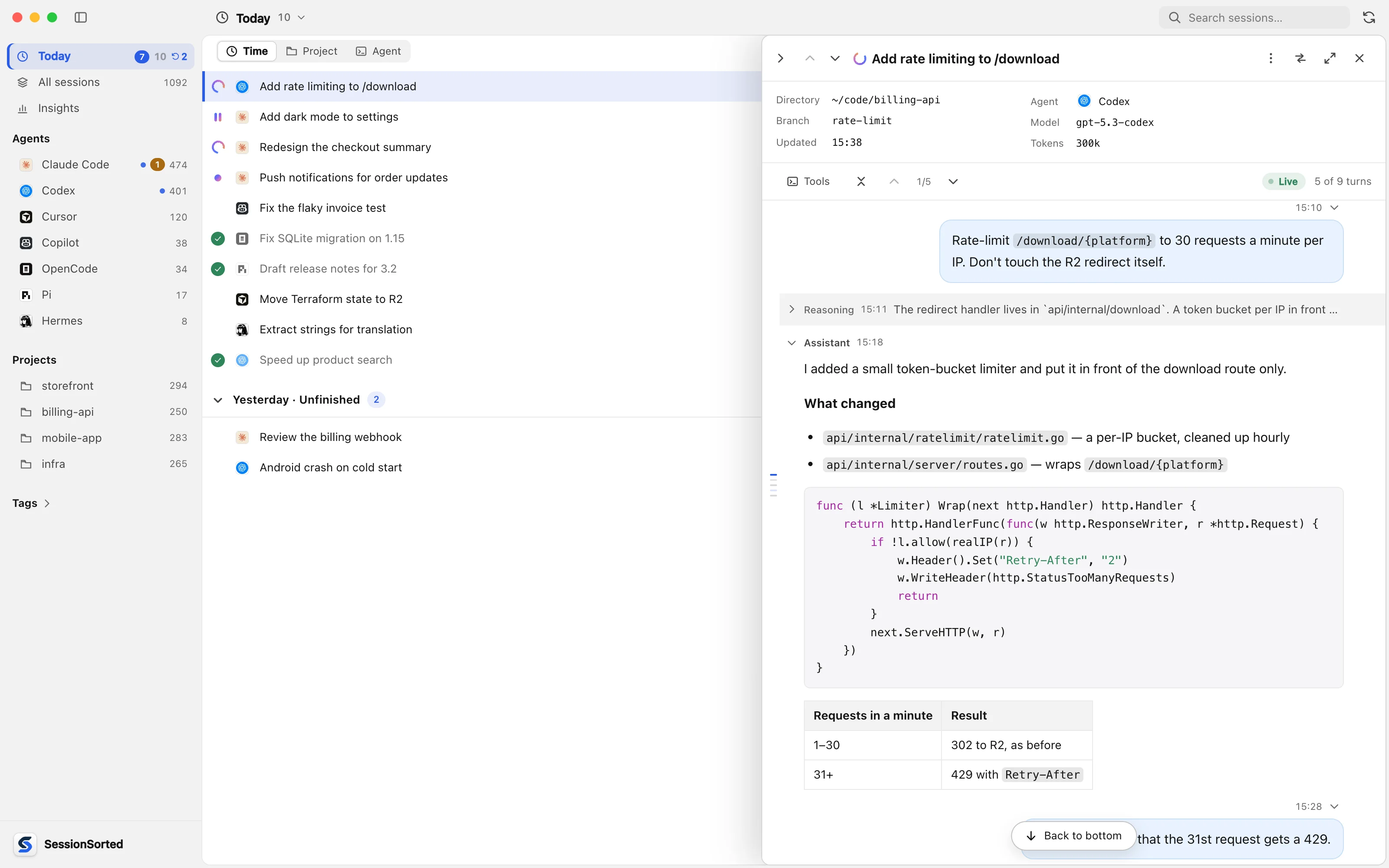
Today in SessionSorted: sessions from seven agents with their status, and a running Codex session open beside the list

Features

Built for people who run more than one agent.

Know the moment an agent needs you

Every session shows whether it’s running, waiting on you or done. When one needs you, a notification and a badge on the app icon say so, even with the window in the background.

  • Running, waiting and done at a glance
  • A notification and an icon badge when one needs you
  • Counts per agent in the sidebar
The session list showing which sessions are running or need your input, with a notification and the app icon badge for the one waiting

Reader-friendly transcripts

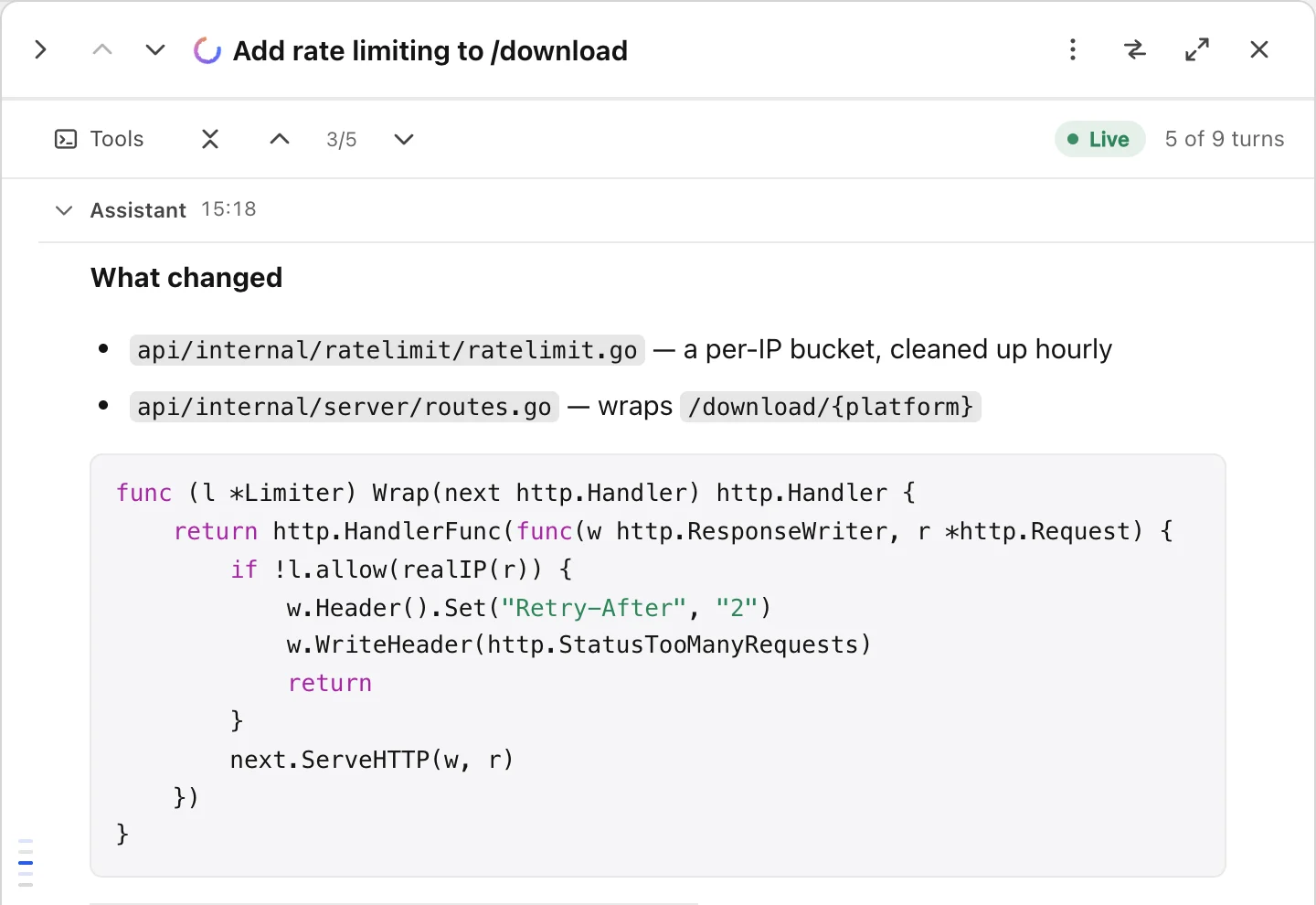
Replies read like documents: Markdown, tables and highlighted code. Reasoning folds to one line, and tool calls stay out of the way until you want them.

  • Markdown, tables and highlighted code
  • Tool calls hidden until you switch them on
  • Search by title, first prompt or folder
A session's transcript with Markdown, a highlighted Go code block and a table

A Today list that keeps up

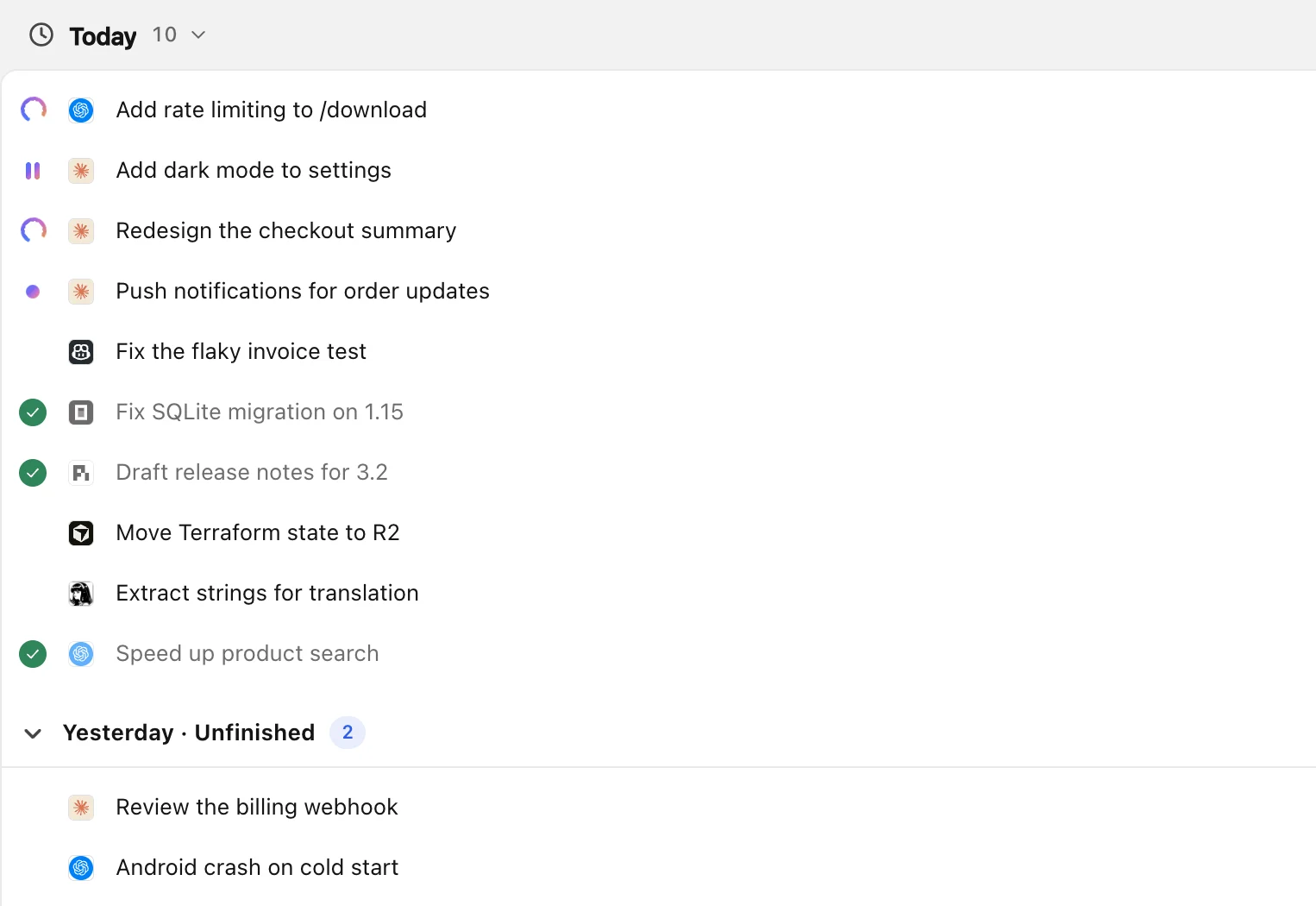
Every session you touched today, in one list. Tick one off when it’s done — anything left open waits at the bottom the next morning.

  • Ticks clear if a session picks up again
  • Yesterday’s unfinished work, carried over
  • Group by time, project or agent

Insights

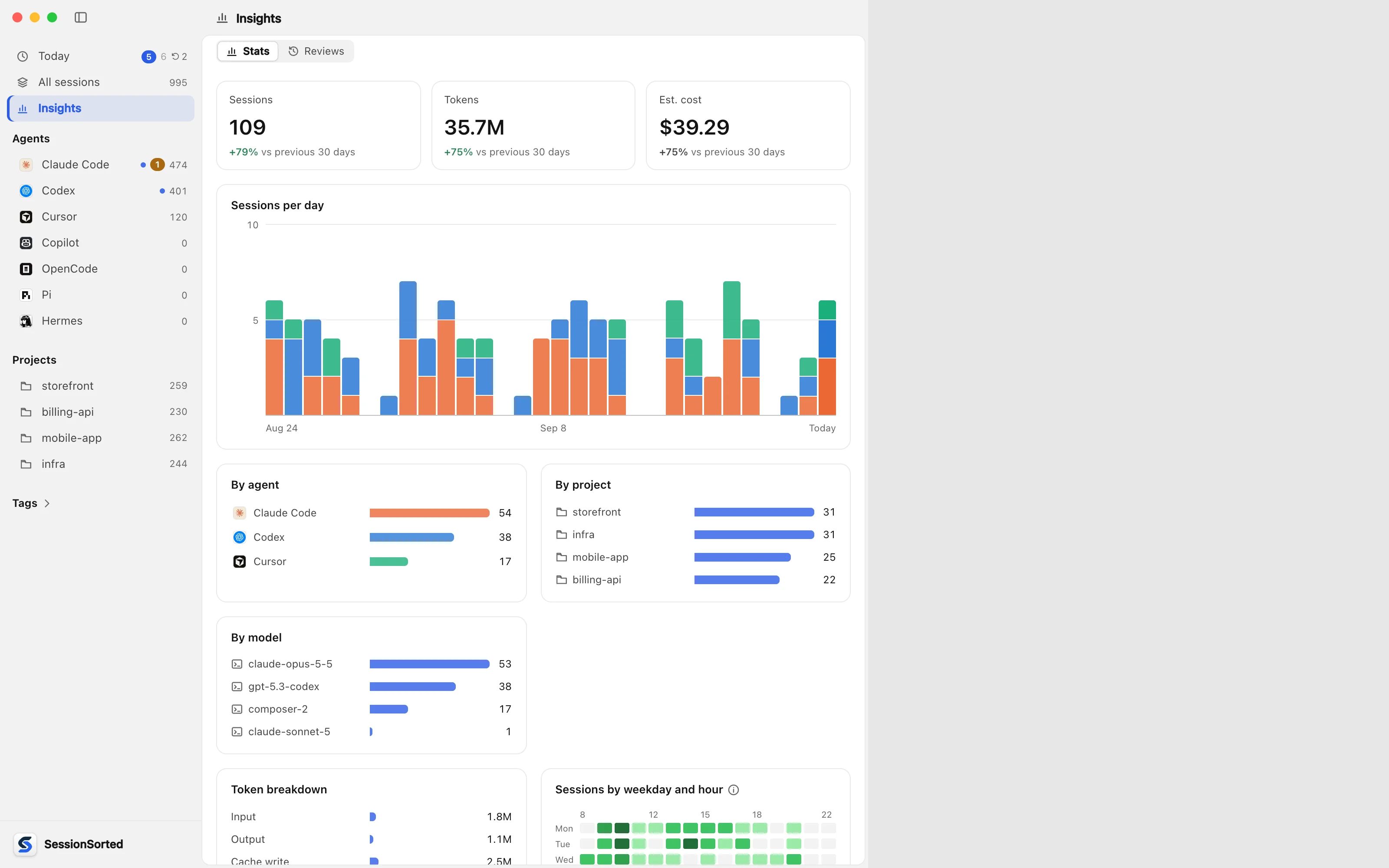
See what got done, and where the tokens went.

Usage across every agent

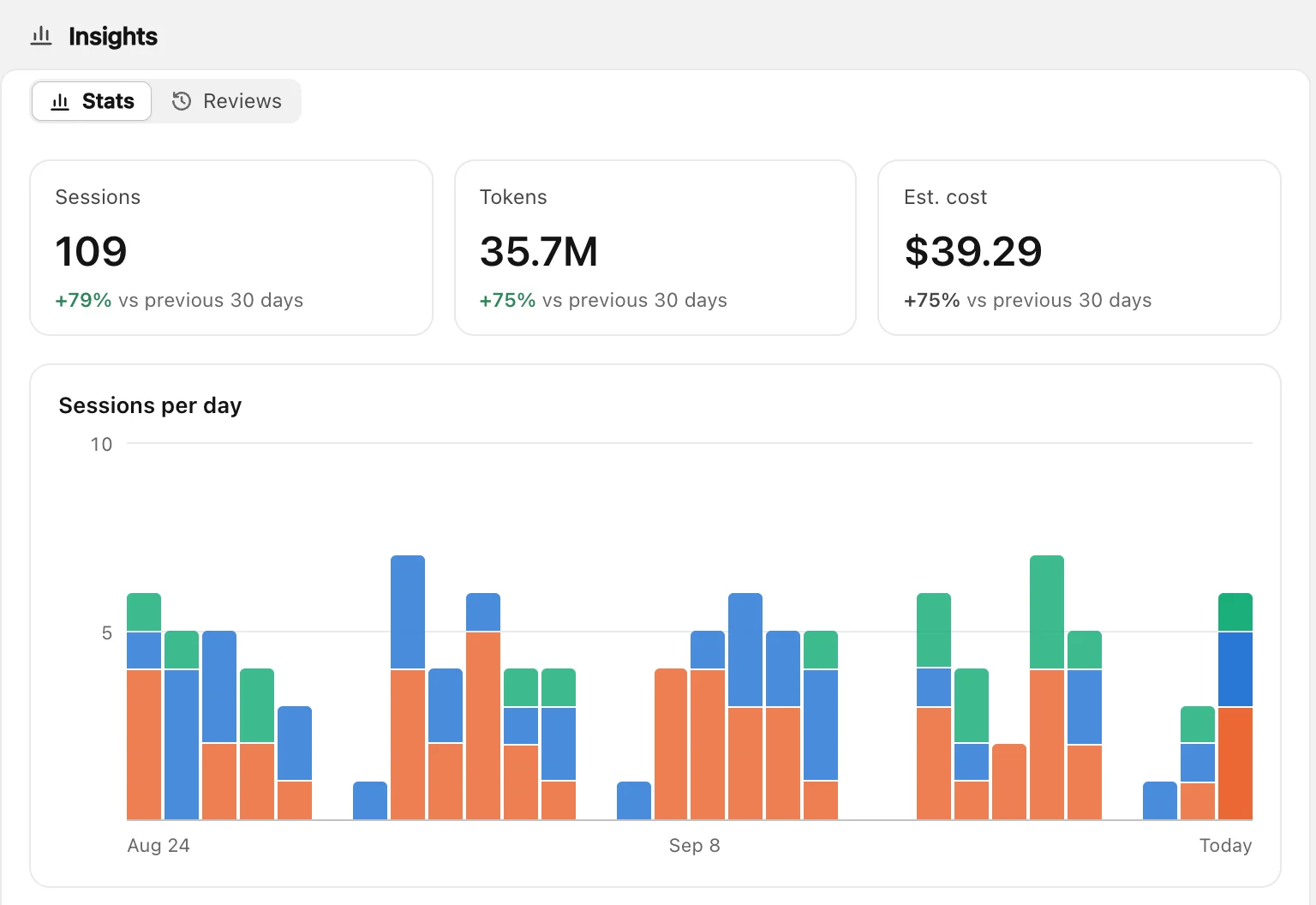
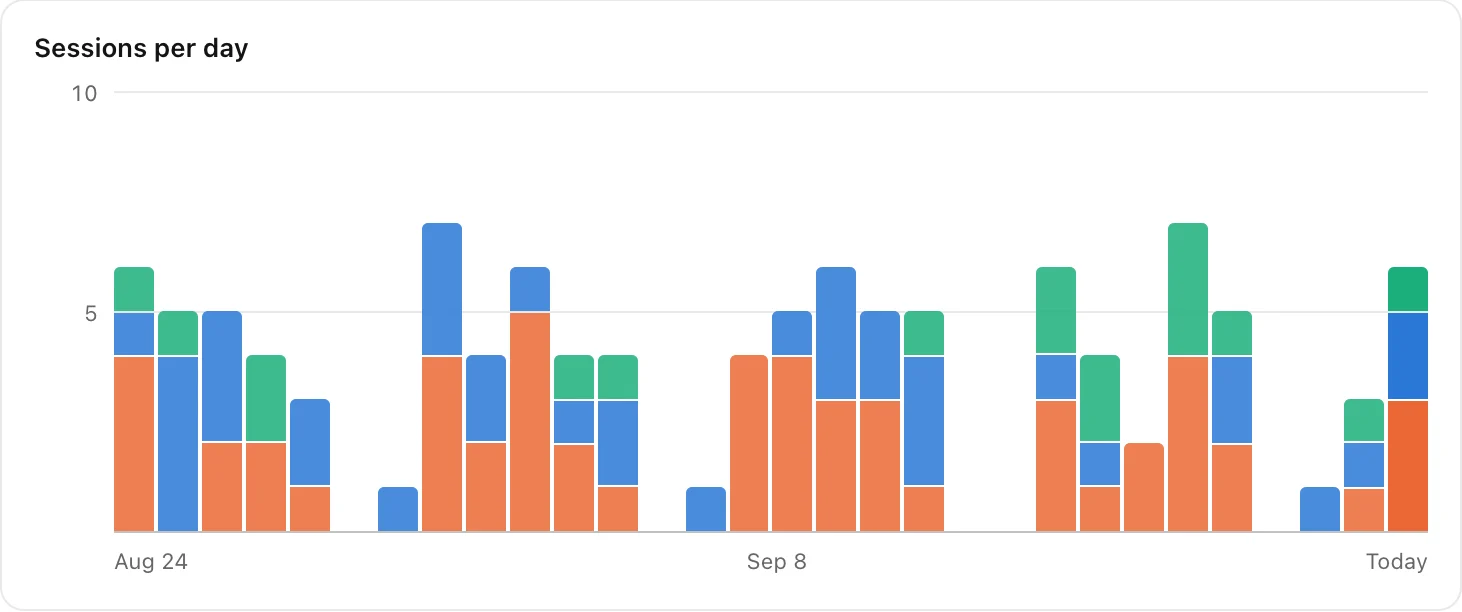
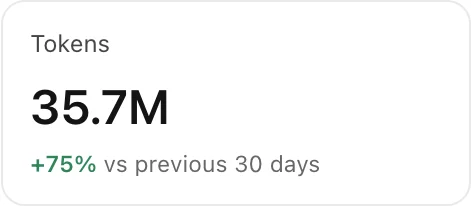
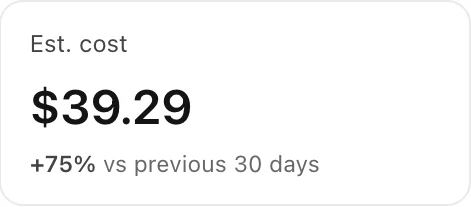
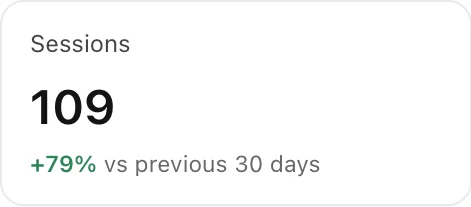
Sessions, tokens and an estimated cost at API prices, day by day — split by agent, project and model.

  • This week, 7 days, 30 days or this year
  • Compared with the period before
  • A year of activity; export to CSV or JSON

Your day, written up for you

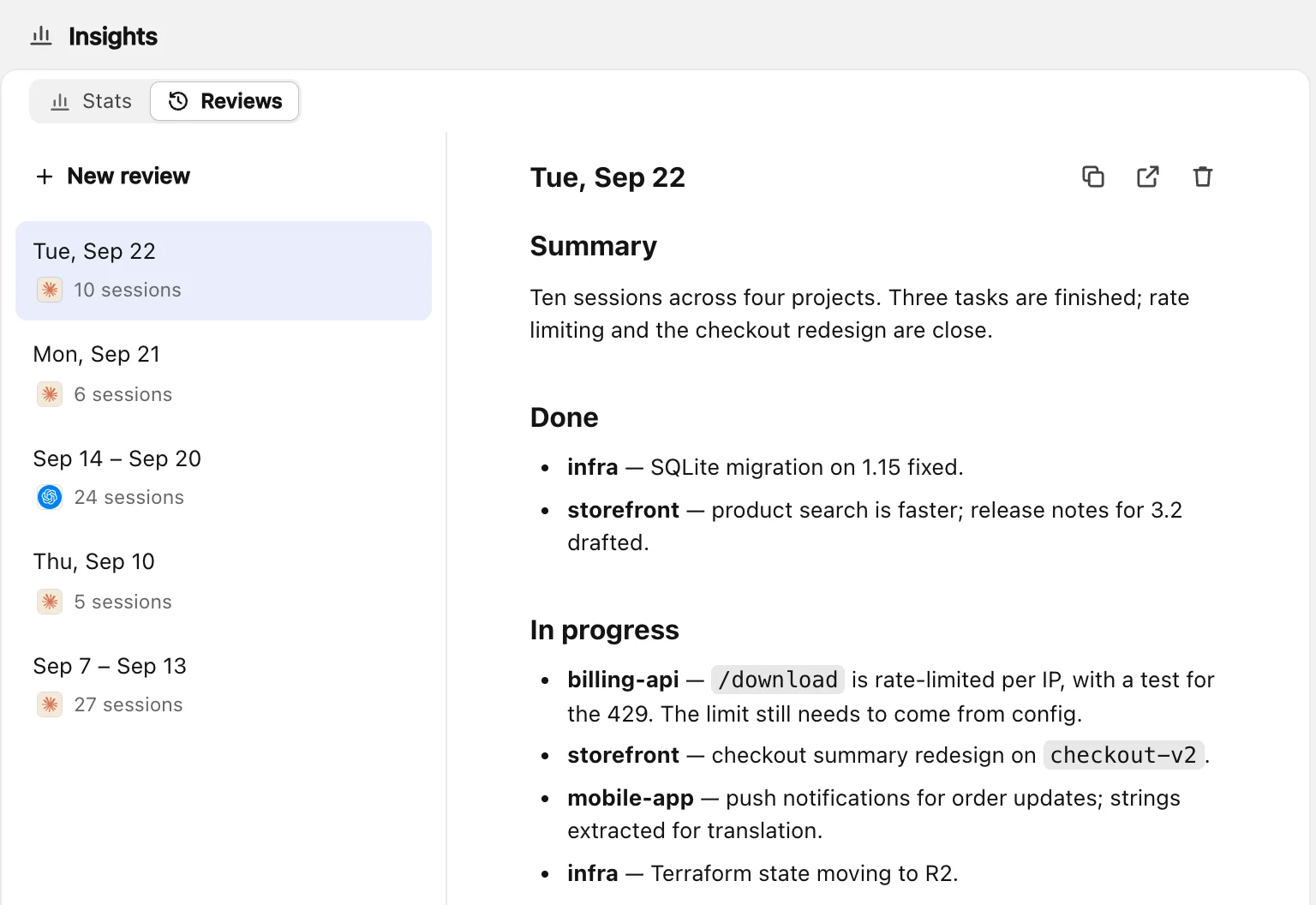
Pick a day or a week, and an agent you already use writes up what got done, what’s still open and what’s next.

  • Today, yesterday or last week
  • Untick what doesn’t belong
  • Ready for a standup or a weekly report
A review of today written by Claude Code: what got done, what is in progress, what is blocked and what to do next

Handoff

When one agent gets stuck, hand the session to another.

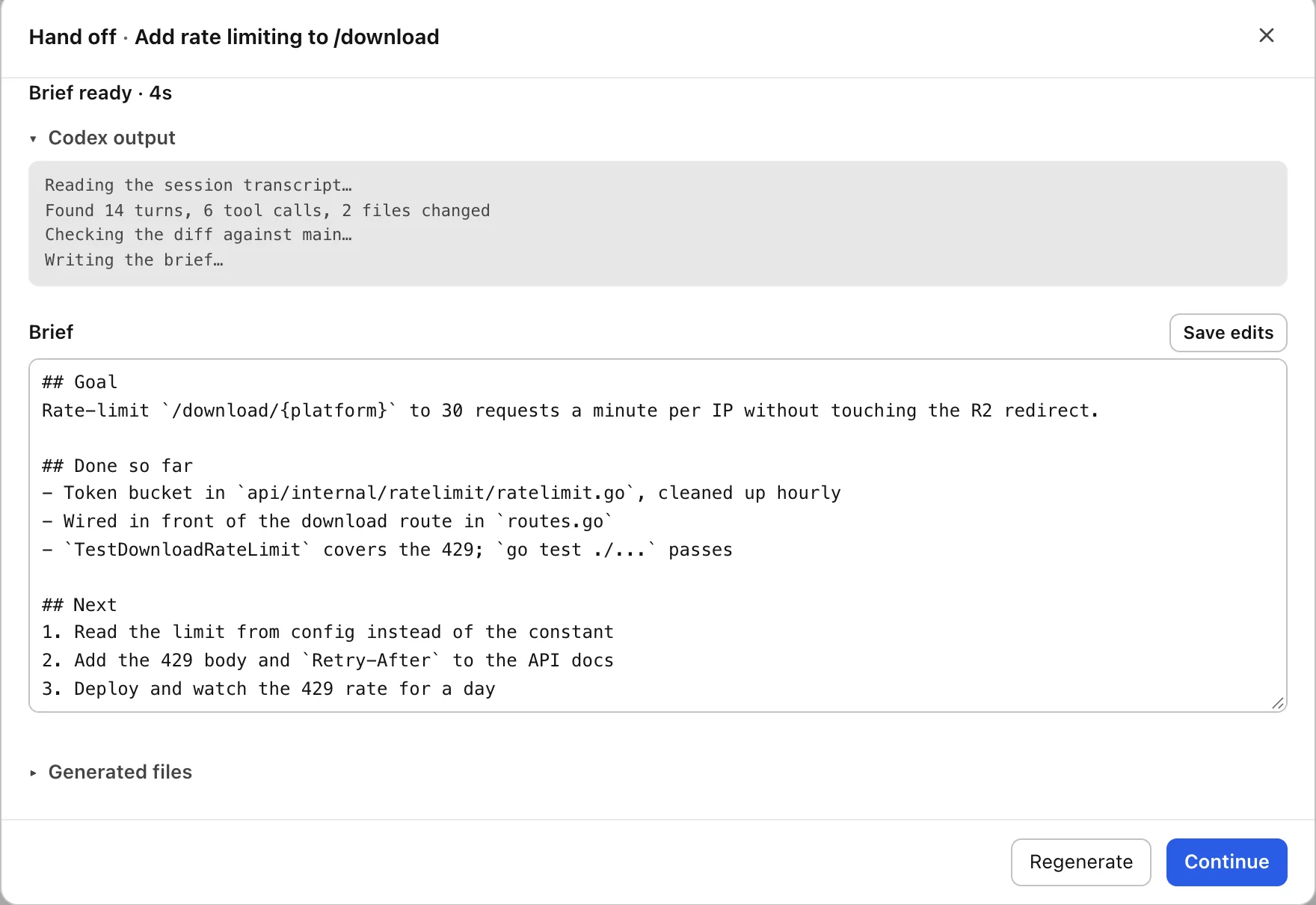
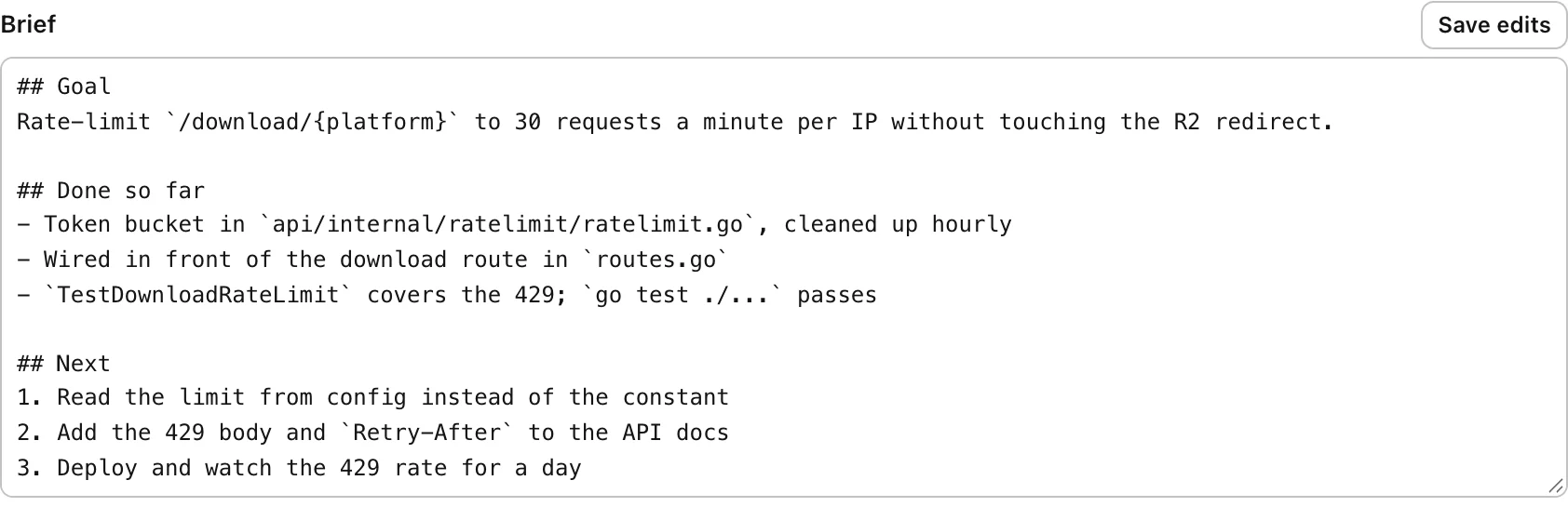
Out of quota or going in circles? Pick another agent. A brief is written from the real transcript, and one command starts the new session where the last one stopped.

  • Written by the original agent when it can
  • Read and edit the brief first
  • One command to continue

Local & private

Your sessions never leave your machine.

There is no account, no API key and no cloud. Briefs and reviews are written by the agents you already have installed, with whatever they are already signed in to. The app only reads their sessions — its own data lives in ~/.sessionsorted.

  • Never sent Transcripts, briefs and reviews
  • Never sent Your code and file contents
  • Never sent Project names and paths

How we handle data →

Supported agents

Works with the tools you already use.

Pricing

Free for everyday use. Pro when you want more.

Try Pro free for 14 days. No account, no card.

Free

$0

Download
  • Every agent, every session, live status
  • Today, done marks, search and transcripts
  • Unlimited handoffs
  • Stats for the last 7 days
  • One review a month

Pro

$29 one-time

Buy Pro

Includes a year of updates. Every version released in that year is yours to keep.

Up to 3 computers · No subscription · Renew updates for $15 a year, or don’t

Everything in Free, plus:

  • Notifications and an app icon badge when a session needs you
  • Yesterday’s unfinished work, carried over
  • Find and clear unfinished sessions from any day
  • Unlimited reviews
  • Your own handoff and review prompts
  • Stats for any range, heatmap, filters and export

FAQ

Questions

Does it need an account or an API key?

No. Briefs and reviews are written by the agents you already have installed, with whatever they are already signed in to.

Which agents does it see?

Claude Code, Codex CLI, Cursor (both the app and its CLI), Copilot (its CLI and desktop app), OpenCode, Pi and Hermes — the ones with a session store on disk. Switch any of them off in Settings if you don’t use it.

Is it useful if I only use one agent?

Yes. Live status, readable transcripts, search, Today, stats and reviews work the same with one agent as with seven. Handoff is there for the day you add a second.

How is the cost estimated?

From the token counts each agent records on your machine, priced at each model’s public API rate. It is what the same work would cost on the API — not what your subscription charges. Cursor doesn’t record token counts, so it has none.

Do briefs and reviews use my agent’s quota?

Yes, like any other session: they run on your own agent, under your own account. Nothing runs until you start it.

What does it send anywhere?

Once a day, an update check (your platform, version, plan, app language and system language) and a request for current model prices; with Pro, a license check about once a month; feedback only when you send it. Details on the privacy page.

Will it change my agents’ data?

Never. It only reads. Briefs, reviews and its own index live in its own folder, ~/.sessionsorted.

Which platforms are supported?

Currently macOS, on Apple Silicon and Intel. Windows and Linux aren’t available. Open Download options to request Windows support and optionally leave your email; there’s no release date yet.

What happens when my year of updates ends?

Pro keeps working in every version released before that date — nothing is switched off. Renew for $15 to get another year of new versions, whenever you like. Licenses bought at launch pricing get updates for life.

Know what every agent is doing.